Everything you can do with GrowthBook for free

Editor's note: This article was published November 20, 2026. Check in with the team to see what else is free since then.
At Education.com, Graham McNicoll and Jeremy Dorn wanted to test what they shipped without sending raw customer events to a third party or making a page wait for a flag decision.
They built that system themselves, then started GrowthBook so other teams wouldn’t have to build their own.
Today, more than 4,000 companies trust GrowthBook. To the customers who put us into production, thank you. You’ve helped us offer feature flags, A/B testing, product analytics, and a hosted warehouse for free.
Now, even your coding agent can add and test its first flag in your repo without a GrowthBook account.
What you get with a free GrowthBook Cloud account
If you came to GrowthBook for flags, experimentation and product analytics are already in your workspace. Once you connect your event data, you can use the same metric to decide whether a change helped during a test and to follow usage after rollout.
Say you’re adding a CSV export to your app. Here’s how that looks:
- Release it to a beta group. Use a feature flag to show the export button to those accounts. Widen the rollout or turn it off from GrowthBook without another deploy.
- Test where the button belongs. Give your coding agent the JavaScript A/B test guide and ask it to show the button in the toolbar for one group and in a menu for the other. Compare the percentage of active users in each group who successfully export a file.
- Follow usage after rollout. Open Product Analytics to chart that same export rate week by week. See whether the share of users exporting files rises or falls once everyone has access.
Try it with your agent. Connect your coding agent to GrowthBook through the MCP server and ask it to draft the beta flag for review. Once it has query access to your export-rate metric, it can also run an exploration. Try “Chart our weekly export rate for the past month and give me the GrowthBook link.”
Start with a free workspace
Connect the warehouse you already use or let GrowthBook host one. Your team can release a feature, test it, and see how people use it in the same workspace.
Get Started for Free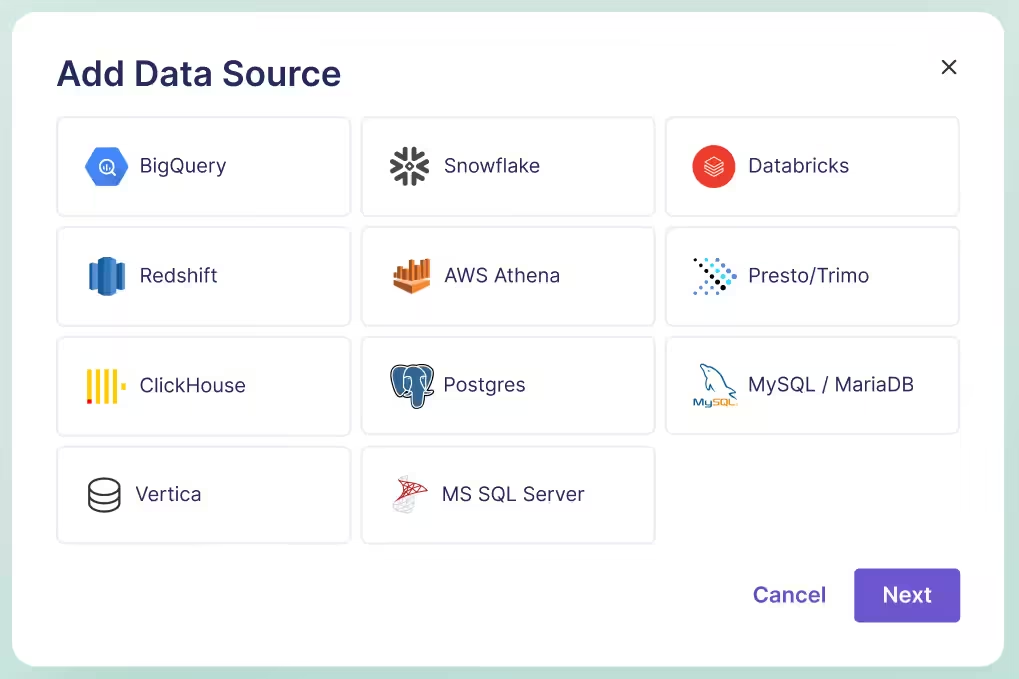
Free feature flags without an account
If all you need is a flag in your app, the open-source local SDK works with a file in your repo. There’s no signup, API key, or flag server. You can keep it that way for as long as you like:
- Set the rules in code. Give
export-csva default offalseinflags.ts. Enable it for your beta group or a percentage of eligible users. Changes go through your normal code review and deploy. - Use it in your stack. Follow the local flags tutorial for browser JavaScript, React, Node.js, or Next.js.
- Catch mistakes before shipping. Register your flag types once so TypeScript can catch a misspelled flag key or an unexpected value. Jeremy explains how the type checks work.
- Hand rollout control to a teammate later. Move the flag definitions to Cloud or a self-hosted workspace and connect the SDK. The flag checks you wrote stay in your application.
Try it with your agent. Open your repo and give it the local SDK guide. Try “Put the export button behind a flag. Leave it off by default, enable it for beta testers, and add tests for both cases.” You can review the flag, the button change, and the tests in one diff.
The free self-hosted edition
If your warehouse lives on a private network, you can run the GrowthBook dashboard and API there too. The open-source edition gives your engineers, product managers, and analysts a shared place to manage releases and read results without a software license fee.
- Team and usage limits. One project, unlimited team members, unlimited flags and experiments, and unlimited end-user traffic.
- What you run. One Docker image contains the dashboard, API, and statistics engine. A MongoDB-compatible database stores GrowthBook settings and cached results. You can try both locally with Docker Compose or use the official Helm chart for Kubernetes.
- Where the data lives. Connect your existing warehouse to measure experiments and explore product usage. GrowthBook queries the events there. Managed Warehouse and Event Forwarder are Cloud services.
- What you pay for. Your team covers the infrastructure and warehouse compute and handles upgrades and backups. Compare the self-hosted editions.
Try it with your agent. Give it the Docker Compose quickstart and ask it to start a local instance and show you the dashboard. Once your team has an instance, you can also point a local MCP server at your own API and ask your agent to pull the latest results for a named experiment.
Free tools for developers and coding agents
In your app, browser, and editor
- SDKs and OpenFeature providers. Find your client, server, mobile, or edge runtime in the SDK directory, or add a GrowthBook OpenFeature provider to an app that already uses the standard.
- Browser DevTools. See which targeting rule matched, change a test user’s attributes, or preview a variation in Chrome or Firefox. It also works with local flags when SDK dev mode is enabled.
- VS Code extension. Browse targeting rules and copy flag keys from a connected workspace inside your editor.
- REST API and CLI. Ask your coding agent to generate TypeScript types from the flags your team manages in GrowthBook and run the type checker against your app. You can also script a flag lookup or inspect an experiment.
- Python statistics library. Install the standalone gbstats package to use its published statistical methods in a notebook.
With your coding agent
- Hosted MCP server.Connect your existing AI client to a Cloud workspace and ask it to retrieve an experiment result or draft a flag.
- Agent Skills. Give your agent an official GrowthBook workflow for targeting, experiment design, or analysis.
- SDK Setup Wizard. For supported setups, hand the application changes to your agent. It proposes the edits and checks the build.
These tools work with the AI client you bring. Starter also includes limited usage of GrowthBook’s own in-app AI.
With the tools you already use
- dbt, Slack, and webhooks. Bring supported metric definitions over with dbt Sync, send updates to Slack, or connect your own tools with webhooks.
- Framer. Connect design variations to a GrowthBook experiment with the free Framer plugin. The documented setup uses a GrowthBook account, GA4, and BigQuery.
- Vercel. Create a new Starter organization through the Vercel integration and view its flags and experiments in Vercel for free.
- Statsig migration kit.Import your configuration and let the included Claude Code agent convert supported JavaScript, TypeScript, and React SDK calls for your team to review.
Free experimentation resources
What if moving the export button gets more people to click it, but the same number actually download a file? Whether you’d ship that change is worth discussing before you start the test. We make these resources free so anyone can plan an experiment, practice reading results, or get a second opinion.
- Design a test. Bring Luke Sonnet’s 7 Steps to Better Experiment Design checklist to your next planning meeting. For model and prompt changes, use the A/B testing playbook for AI-powered apps.
- Estimate the return. Put your own experiment volume and engineering costs into the Experimentation ROI Calculator, or download the full model.
- Work through it with an agent. Give your agent the design checklist and your feature idea. Ask it to draft a hypothesis, suggest a success metric, and flag assumptions your team still needs to settle. When you’re ready to implement, the Guides for Agents cover first A/B tests, homegrown flag migrations, LLM changes, and Kubernetes deployments.
- Play a daily game. Try Test Designer, Who’s the Winner?, Groups, or Pinpoint in our experimentation games.
- Learn from another team. Listen to The Experimentation Edge, watch a webinar or office hours session, or join a group demo.
- Ask a human. Bring a puzzling flag value or a tricky metric definition to the GrowthBook community Slack. You’re welcome while you’re planning your very first test.
If you already use GrowthBook for flags, take a look at the last feature you rolled out. What did the people who saw it do next? Your free workspace can help you answer that. And if your next feature is still on a branch, you can start with just the local SDK and a coding agent. For a short version you can share with your team, see GrowthBook’s free offerings at a glance.
Give your agent its first flag
Pick one feature in your app. Give your coding agent the local setup guide and ask it to test who sees each version.
Open the Local SDK Guide

Get The Uplift in your inbox
Experimentation tips and a new game, once a month.

Related articles


Ready to ship faster?
No credit card required. Start with feature flags, experimentation, and product analytics — free.